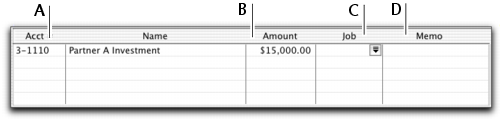
In your MYOB software, the term receiving money specifically refers to recording receipts other than payments relating to invoices. These receipts include capital injections, interest, adjustments, and so on. These can be entered using the
Receive Money window or by selecting the
Receive Money transaction type in the
Bank Register window.
The Receive Money window lets you record more details about the receipt and allocate the receipt to more than one account. This is the procedure covered in this section. If you want to use the
Bank Register window—which lets you record a receipt with minimum details—see
Entering transactions in the Bank Register window.
If you want to record a payment for an invoice entered using the Sales command center, use the
Receive Payments window or select the
Receive Payment transaction type in the Bank Register window. See
Receiving payments for more information.
You can print payment receipts for payments entered in the
Receive Money and
Bank Register windows. For more information, see
Printing payment receipts.
MYOB Business Services is a set of subscription services that you can use to process credit card payments from customers, send electronic payments to vendors and deposit paychecks for your employees over the Internet directly from your MYOB software. With the MYOB Merchant Account Service, you can authorize customer credit card payments online using your MYOB software. For more information, see
Set up MYOB Business Services.
To store the transaction as a recurring transaction
so that you can use it again, click
Save as Recurring. In the
Edit Recurring Schedule window, enter the necessary information and click
Save. For more information about creating and using recurring transactions, see
Recurring transactions).