Task 2: Set up form properties
|
1
|
|
2
|
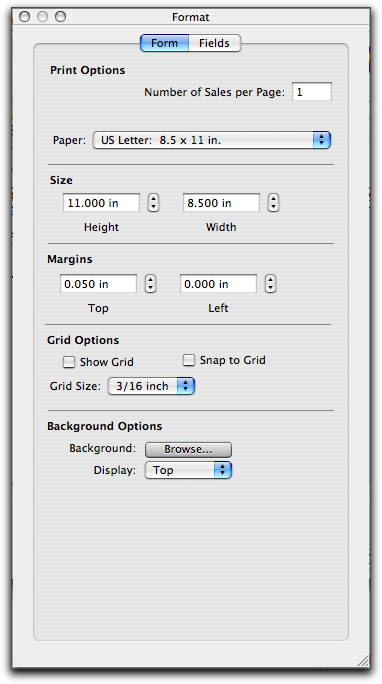
In the Form tab, type the number of forms you want to print per page.
|
|
3
|
Select the required type of paper from the Paper list.
|
|
a
|
make the grid visible in the layout, select Show Grid. Note that the grid will not be printed.
|
|
b
|
|
c
|
|
a
|
|
c
|
Select the Display settings for the graphic.
|
|
■
|
Top will position the image at the top of the form.
|
|
■
|
Centre will centre the image on the form.
|
|
■
|
Tile will repeat the image in a grid-like pattern across and down the entire form.
|
|
■
|
Stretch will enlarge the image to fill the entire form. (Depending on its size and shape, this setting can distort the image.)
|