To reinstall MYOB Plus
Follow the steps in this section to reinstall Plus on your computer(s):
When you are ready to being updating Plus click the selection labeled "Install MYOB Plus Version 11."
Click Next when you are finished.
In the Select Components window, you can choose individual Plus components by clicking the box next to each component you want; check marks will appear next to the options you selected when you first installed Plus. Mark or unmark the files you wish to add or remove from your hard drive.
When you're finished making your selections, click the Next button. Skip to step 8.
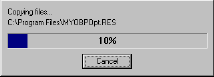
While this window is displayed on your computer screen, you don't need to do anything.
Before you begin using Plus, you may have to restart your computer. If this is the case, a message in the Maintenance Complete window will inform you of this and give you the option to restart your computer now or wait until later to do so.
If no other applications are running on your computer, mark the "Yes, I want to restart my computer now" option. If other applications are running on your computer, mark the "No, I will restart my computer later" option instead. Exit the other applications, then restart your computer manually.
If you indicated that you'll restart your computer later, the update installation program will close.
To reinstall MYOB Plus