New Features > Improved Bank Statement Import
To create a rule
1
Go to the Banking command centre and click Bank Register. The Bank Register window appears.
2
In the Account field, type or select the account that corresponds to the bank or credit card statement.
3
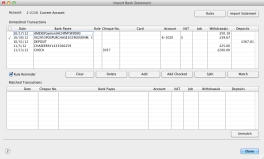
Click Bank Statement. The Import Bank Statement window appears.
4
Click Rules. The Bank Statement Import Rules window appears.
5
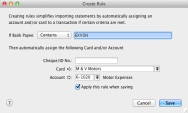
Click New. The Create Rule window appears.
To edit a rule
1
Go to the Banking command centre and click Bank Register. The Bank Register window appears.
2
In the Account field, type or select the account that corresponds to the bank or credit card statement.
3
Click Bank Statement. The Import Bank Statement window appears.
4
Click Rules. The Bank Statement Import Rules window appears.
5
Click the zoom arrow to the left of the Bank/Payee column. The Create Rule window appears.

Click to show more information

Top of page