New Features
> Change Orders
Change Orders
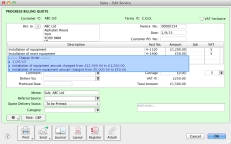
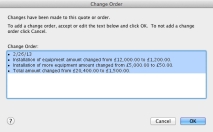
AccountEdge will now track any changes made to a quote or an order. With Change Orders, you’ll be able to track what changed on the estimate and include change order notes to the estimate to provide to the client.
Change Orders will track changes to quantities, price, discounts, descriptions, and new lines added to an estimate.
You can use the default change notes provided or edit them.
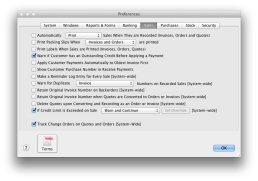
To select Track Change Orders on Quotes and Orders preference
1
Go to the Setup menu and select Preferences. The Preferences window appears.
2
Click the Sales tab and select Track Change Orders on Quotes and Orders [System-wide] option.
3
Click OK to close the window.
When this option is selected, the default behaviour of the quotes and orders is to always include any Change Order details on printed invoices, unless deleted from the invoice.
Back to New Features list
Top of page