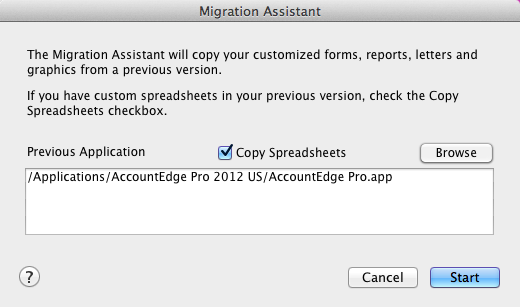
The Migration Assistant feature will help you copy and upgrade the Custom Forms, Custom Reports, Graphics, and Letters and automatically save them to the AccountEdge support folder.
|
1
|
From the Welcome window, click Company File Maintenance.
|
|
2
|
|
3
|
The previous version application is listed. If this is not the application you want to copy the custom forms from, then click Browse. The Open window will appear.
|
|
4
|
Select the previous version application you want to copy forms from and click Open. The Migration Assistant window reappears.
|
|
5
|
Click Start.
|
|
6
|
A message stating migration has completed will appear when the process is complete.
|
|
7
|
Click OK.
|