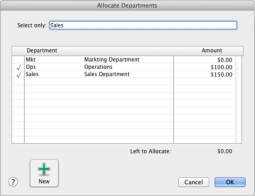
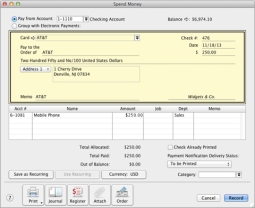
A new preference has been added to the System Preferences enabling you to turn on the feature. Once the feature is activated, Departments can be allocated to the following transaction types:
|
3
|
Select I Use Departments; if Departments Are Not Assigned to All P&L Accounts Don’t Warn/Warn [System-Wide].
|
note : Turning off department tracking deletes all departments and all related information
If you choose to turn off department tracking, any departments you have created and their transaction history will be deleted from your company file. You should make a backup of your company file before you take this step so that you can access this information if required.
|
1
|
|
2
|
|
3
|
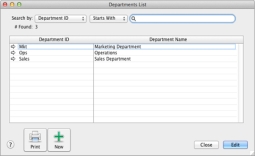
In the Department ID field, enter up to a 5 alpha-numeric characters used to identify the department then press tab.
|
|
4
|
|
5
|
If you want to enter a description of the department or notes related to the department you can enter up to 1000 characters in the Description field.
|
|
6
|
Click OK.
|
|
1
|
Go to the Card File command center and select Card List. The Card List window appears.
|
|
2
|
|
5
|
Click OK.
|