
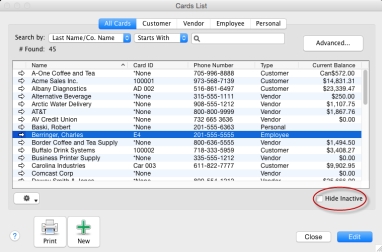
You now have the option to select Hide Inactive on various windows including Cards, Items, Retainers and Jobs Lists to filter the inactive cards and items from the list.
|
1
|
Go to the main list, for example in the Card File command center click Cards List. The Cards List window appears.
|
|
2
|
Select the Hide Inactive option in the bottom right corner of the list. This will hide the cards marked inactive from this main list. You can select and deselect this option. The same holds true for accounts, items, inventory locations, activities, jobs, departments and escrows/trusts.
|
|
3
|
Click Close to close this window.
|

