New Features
> Use Tax
Use Tax
A new tax code type has been created to support Use Tax. Depending on your state, you may be required to track and pay sales tax on purchases where a vendor did not apply tax to your purchase.
This type of tax code doesn't add tax to the transaction but tracks the accrued tax that you would owe for Use Tax. The sale tax reports will now include a section to break out purchases that you may owe Use Tax for.
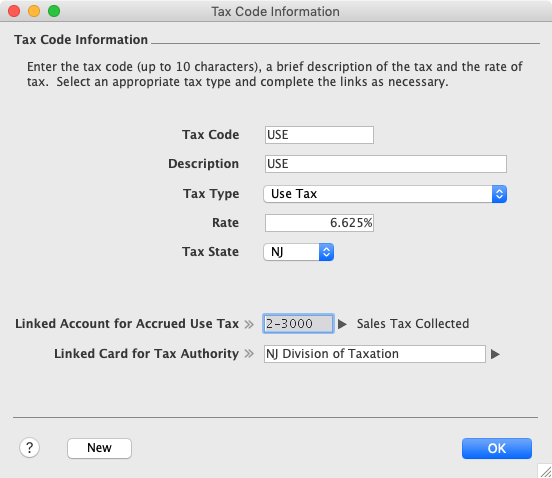
When creating a tax code, you'll see a new tax type to selected for Use Tax. Enter the tax rate and choose a linked accrued liability account to track the Use Tax that will be owed to the state.
An additional field for Tax State can be selected which is used on Sales Tax by State reports.
When paying your Sales & Use Tax to the appropriate state tax authority, you would create a Spend Money transaction applied against the linked accounted used for Accrued Use Tax.
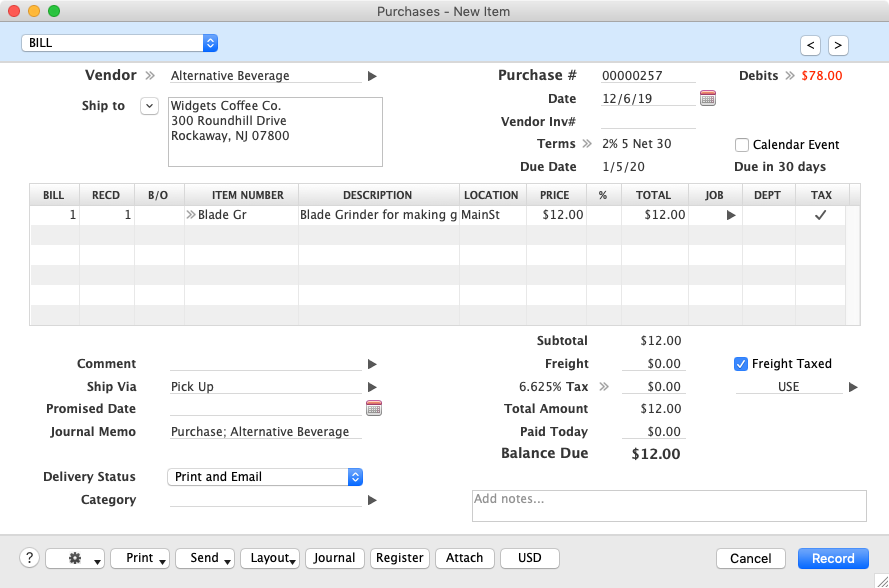
When creating a purchase or bill where no sales tax was paid but Use Tax will be owed, check each line that would be considered taxable and choose your Use Tax code next to the tax field in the subtotal area of the purchase.
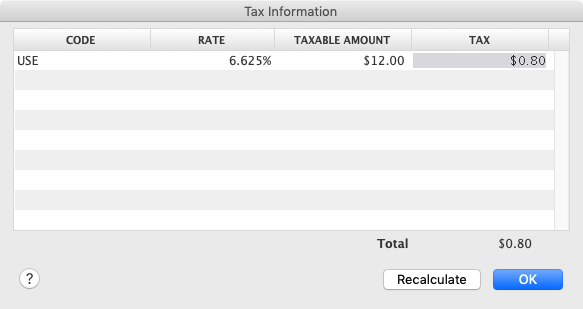
No tax amount will be added to your purchase because you were not charged sales tax by your vendor. However if you drill into the Tax Information window by clicking the drill down arrow to the left of the Tax field, you can see the Use Tax that has been calculated and will be accrued.
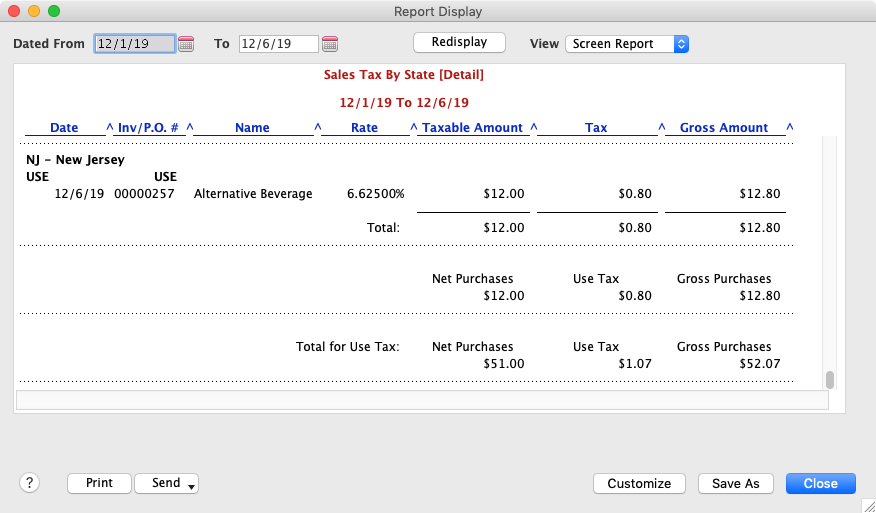
When running your sales tax reports, the last section of the report will display purchase where Use Tax has been accrued.
Back to New Features List
Top of page