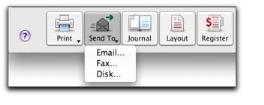
When you attempt to fax a form, a message will appear stating, "Faxing of reports and forms from AccountEdge is not available on Mac OS X.” The message will include instructions based upon your version of Mac OS X.
Depending upon which version of Mac OS X you are using, you can either fax by using Mac OS X's built in faxing that you can access from the
Print & Fax window, or by using FAXstf X which is bundled with some versions of Mac OS X.
If you have FAXstf X installed, you can fax documents by printing to your Apple Internal Modem. For more on faxing, see the FAXstf X User's Guide.
You can also print, preview or email remittance advices or cheques when you record transactions in the
Spend Money,
Pay Bills or
Settle Returns & Credits window.
You can set up your preferences so that you can automatically print, email, fax or save sales and purchases when you record them.